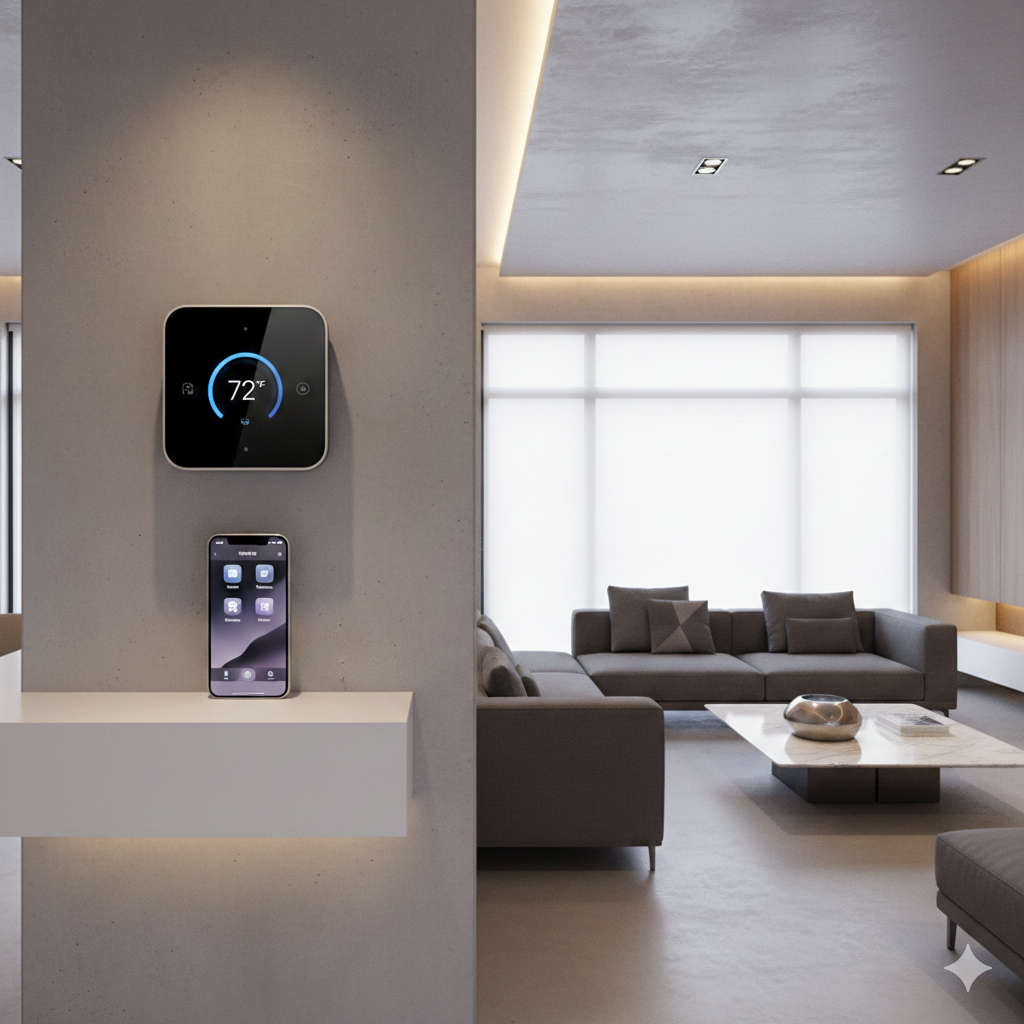
Your smart home should feel intelligent, not complicated. For Apple users, that seamless experience starts with the thermostat on your wall. In 2026, the gap between standard temperature control and true home automation has never been wider. The right thermostat doesn’t just adjust temperatures—it learns your patterns, responds to your voice, and quietly works to shrink your energy bills while keeping you comfortable.
If you’ve ever wished your home would warm up automatically before you step out of bed, or cool down right as you walk through the door after work, you’re ready for a HomeKit-compatible thermostat. These devices integrate directly with the Apple ecosystem, meaning they appear right alongside your lights, locks, and speakers in the Home app. No juggling multiple apps. No confusing workarounds. Just your home, responding to you.
After spending weeks testing the latest models available in 2026, talking with HVAC professionals, and gathering feedback from everyday homeowners, I’ve narrowed down the absolute best options for every type of Apple user. Whether you’re building a smart home from scratch or just want to dip your toes in with something affordable, there’s a perfect match waiting for you.
Why Your Next Thermostat Should Speak Apple’s Language
Before diving into specific models, it helps to understand what makes a HomeKit thermostat fundamentally different from a standard programmable one.
Think about how you interact with your home throughout the day. You grab your iPhone dozens of times. You ask Siri questions while cooking. You walk past your HomePod mini while carrying groceries. A HomeKit thermostat fits right into those natural moments. You don’t need to open a separate app or remember a specific voice command format. You just say what you want, and it happens.
The magic goes beyond voice control. HomeKit allows your thermostat to work in concert with your other devices. Imagine a Good Morning scene that gradually warms the bathroom while your coffee maker starts and the shades slowly rise. Or an Away mode that sets your thermostat to energy-saving temperatures, turns off all the lights, and ensures your door locks are secure—all triggered automatically when the last person leaves.
With the maturation of the Matter standard throughout 2025 and into 2026, compatibility has become even smoother. Devices that once lived in walled gardens now play nicely together. You get faster response times, more reliable connections, and the freedom to choose based on features rather than ecosystem loyalty.
The Best HomeKit-Compatible Thermostats of 2026
Ecobee Smart Thermostat Premium: The Complete Package
If you want a thermostat that does it all, this is the one. Ecobee has been a favorite among Apple users for years, and the Premium model represents everything they’ve learned about what homeowners actually need.
The moment you unbox it, the build quality stands out. The display is crisp and vibrant, with a modern aesthetic that doesn’t scream “tech gadget” on your wall. It looks like it belongs there. But the real story is what lives beneath that beautiful screen.
For Apple users, the native Siri integration is a game-changer. You can speak directly to the thermostat itself without needing a HomePod in the room. Standing in the hallway with armloads of groceries? Just say “Hey Siri, set the temperature to 72” right at the device. It hears you, it understands you, and it responds instantly.
Beyond voice control, this thermostat actively watches over your home’s air quality. Built-in sensors track volatile organic compounds, humidity levels, and carbon dioxide. If the air becomes stale or potentially harmful, you receive an alert on your iPhone with suggestions for improvement. During winter months, the system can even run the fan briefly to circulate air and prevent stuffiness without wasting heat.
The included remote sensor lets you prioritize comfort in the rooms that matter most. Place it in the nursery, and the system ensures that room stays at the perfect temperature even if the main thermostat reads differently. As you add more sensors throughout your home, the system learns which rooms you occupy at different times of day.
Installation requires a C-wire, but Ecobee includes a power extender kit that works with most systems. If you’re handy with basic tools, you can handle the swap in under an hour. If wiring makes you nervous, any HVAC professional can complete the job quickly.
The Premium model sits at the higher end of the price spectrum, but you’re getting genuine value for every dollar. This isn’t just a thermostat—it’s a home wellness device that happens to control your temperature.
Google Nest Learning Thermostat (4th Generation): Finally Welcome at Home
For years, the question came up constantly in smart home forums: “Can I use Nest with HomeKit?” The answer was always disappointing. Workarounds existed, but they required additional hardware and technical know-how that most homeowners simply didn’t possess.
With Matter, that frustration has finally vanished. The fourth-generation Nest Learning Thermostat now integrates directly with Apple HomeKit, bringing Google’s renowned artificial intelligence to the Apple ecosystem for the first time.
The learning capability remains unmatched. During the first week of use, the thermostat quietly observes your adjustments. It notices when you turn the temperature down at night and when you prefer it warmer in the morning. It detects patterns you might not even recognize in your own behavior. By the second week, it begins making those adjustments automatically, gradually building a personalized schedule that fits your life without any programming effort on your part.
The hardware matches this intelligence. The mirrored display creates an almost magical effect, appearing dark and reflective until you approach, at which point it illuminates with your current temperature and weather information. It feels less like a utility device and more like a piece of interactive art for your wall.
The remote sensor included with the 4th generation model ensures that learning reflects actual comfort rather than just thermostat location. Place it in your frequently used living spaces, and the system targets those temperatures specifically.
One important note remains: initial setup still requires the Google Home app. You’ll need to create an account and go through Google’s configuration process first. Once complete, however, you add the device to Apple Home via Matter, and from that point forward, day-to-day control lives entirely within your preferred ecosystem.
Emerson Sensi Touch: Reliability Without the Frills
Not everyone needs artificial intelligence or air quality monitoring. Some homeowners simply want a reliable thermostat that responds to Siri and works with their existing schedule. For that massive audience, the Emerson Sensi Touch delivers exactly what matters.
The touchscreen interface is responsive and intuitive. Menus make sense. Temperature adjustments happen immediately. The companion app, while not flashy, provides clear information about energy usage and allows for straightforward scheduling adjustments.
Where the Sensi Touch truly shines is in its rock-solid reliability. This thermostat connects and stays connected. It doesn’t drop off your network. It doesn’t forget its programming. It simply works, day after day, year after year. In the smart home world, that consistency deserves genuine appreciation.
HomeKit integration is seamless. Once added to your Apple Home, you control it with Siri just like any native device. “Hey Siri, set the downstairs temperature to 68 degrees” works perfectly every time. You can include it in scenes and automations alongside your other accessories.
The geofencing feature deserves special mention. Using your iPhone’s location, the thermostat can detect when you leave and automatically adjust to energy-saving temperatures. When you return, it begins restoring comfort so you walk into a perfect environment. The sensitivity settings let you fine-tune exactly how close you need to be before recovery begins.
Installation requires a C-wire, so verify your system’s compatibility before purchasing. If you have the right wiring, installation is straightforward with clear instructions and helpful video guidance available online.
Ecobee Smart Thermostat Essential: Smart Features at Entry-Level Pricing
Ecobee’s expansion into the budget segment has been a gift for homeowners who want smart features without the premium price tag. The Essential model strips away the high-end hardware of its Premium sibling while keeping all the software intelligence that makes Ecobee special.
You won’t find a built-in Alexa speaker here. The air quality sensors are absent. The display, while perfectly functional, lacks the premium glass finish of the more expensive model. None of these omissions affect the core experience of smart temperature control.
The thermostat includes the same Eco+ energy-saving features that help Ecobee users save up to 23 percent on heating and cooling costs. It learns your preferences, adjusts for humidity, and coordinates with utility pricing when available to run your system during the most cost-effective times.
For Apple users, the HomeKit implementation is identical to the Premium model. You control it through the Home app and use Siri for voice commands exactly the same way. If you already have HomePods throughout your home, you don’t need a speaker built into your thermostat anyway.
Remote sensors are available separately, allowing you to add room-by-room temperature management as your budget allows. Start with just the thermostat and expand later when you’re ready.
This is the perfect choice for renters who want to take their thermostat with them when they move, or for homeowners converting their first property into a smart home without breaking the bank.
Honeywell Home T9: Master of Room-by-Room Comfort
Houses are rarely the same temperature throughout. The bedroom might stay cool while the living room bakes in afternoon sun. The finished basement might require extra heat while the main floor stays comfortable. Most thermostats ignore these variations entirely, averaging temperatures in ways that leave some rooms uncomfortable.
The Honeywell Home T9 solves this problem better than any competitor. It comes with one remote sensor in the box, and you can add up to twenty additional sensors throughout your home. The magic lies in how the system uses them.
Rather than simply averaging all sensors together, the T9 lets you decide which sensor takes priority at different times. You might select the home office sensor during work hours, the living room sensor in the evening, and the bedroom sensor overnight. The system constantly adjusts to maintain perfect temperature exactly where you are, rather than where the thermostat happens to be mounted.
The touchscreen interface is responsive and logically organized. Physical controls on the device itself provide satisfying feedback when pressed. Even guests unfamiliar with your smart home setup can adjust temperatures without confusion.
HomeKit integration means all this room-by-room control appears directly in your Apple Home app. You can ask Siri to set the temperature based on whichever room you’re currently in, or create automations that shift priority based on time of day.
The T9 represents the best choice for larger homes or multi-story houses where temperature variation creates ongoing comfort challenges. If you’ve ever found yourself constantly adjusting the thermostat because one room never feels right, this is the solution you’ve been waiting for.
Eve Thermostat: Privacy Meets Thread Technology
Privacy concerns have driven many smart home enthusiasts away from cloud-dependent devices. If you fall into that category, the Eve Thermostat deserves your attention. Released to widespread acclaim in early 2026, this device represents everything privacy-conscious Apple users have been requesting for years.
The design philosophy here is refreshingly simple. No user accounts to create. No data collection to worry about. No cloud dependency whatsoever. Every command you issue stays within your home, communicating directly with your Apple devices through Thread technology.
Thread matters more than most homeowners realize. Traditional Wi-Fi thermostats crowd your network and can lag when too many devices compete for bandwidth. Thread creates a dedicated mesh network where every Thread device strengthens the connection for every other Thread device. The result is instantaneous response times. When you adjust the temperature in the Home app, it happens immediately. No spinning wheels. No “device not responding” errors.
The physical design matches this philosophy. A clean, minimalist face with generous touch targets makes adjustments easy even for guests who aren’t familiar with your smart home setup. The display is easy to read from across the room, with thoughtful contrast that works in both bright daylight and dim evening lighting.
Because it supports Matter natively, setup takes about thirty seconds. Scan the code with your iPhone, assign it to a room, and you’re done. The thermostat appears in your Home app ready for action, with no intermediary apps or complex configuration required.
The trade-off comes in advanced features. You won’t find built-in air quality monitoring or voice assistants here. This is a focused device that does one thing exceptionally well while respecting your privacy completely. For many Apple users, that focus is precisely the appeal.
How to Choose Your Perfect Match
After reading through these options, you might feel overwhelmed by choice. Let me help narrow it down based on your specific situation.
Check your wiring first. This single step saves more frustration than any other preparation. Open your current thermostat and look at the wire labels. If you see a wire connected to a terminal labeled C, you have a common wire and can install any smart thermostat with confidence. If you don’t see a C-wire, your options narrow. The Nest Learning Thermostat works without one in many configurations. Ecobee includes a power extender kit that can work around missing C-wires. Other models may require professional installation to add a C-wire.
Consider your home’s size and layout. If you live in a compact apartment or single-story home, a basic model with a single sensor will serve you perfectly. If you’re managing a larger home with temperature variations between floors, prioritize models with remote sensor support like the Honeywell T9 or either Ecobee model.
Think about your family’s habits. Do you follow a predictable daily schedule? The learning capabilities of the Nest might save you programming effort. Does your schedule vary wildly day to day? Geofencing features become more valuable. Are there young children or elderly family members in your home? Built-in air quality monitoring provides peace of mind.
Be honest about your technical comfort level. If you enjoy tweaking settings and exploring advanced features, the Ecobee Premium offers endless customization. If you just want something that works without thinking about it, the Emerson Sensi Touch or Nest Learning Thermostat will serve you better.
Frequently Asked Questions
Do I need a common wire (C-wire) for a smart thermostat?
Most smart thermostats require a C-wire to provide constant power. Some models, like the Nest Learning Thermostat, can work without one in many installations. Ecobee includes a power extender kit that can work around missing C-wires. Always check your current wiring before purchasing.
Can I control these thermostats when I’m away from home?
Yes. All HomeKit-compatible thermostats allow remote control through the Apple Home app on your iPhone, iPad, or Mac. You need a Home Hub such as an Apple TV, HomePod, or iPad that stays at home to enable remote access.
Will a smart thermostat really save money on energy bills?
Most homeowners see meaningful savings, typically ranging from 10 to 15 percent on heating and cooling costs. The savings come from automated temperature adjustments when you’re away or asleep, plus more efficient equipment operation. Actual results depend on your climate, home efficiency, and usage patterns.
What happens if my internet goes out?
Your thermostat continues functioning as a basic programmable thermostat. It maintains your schedule and responds to manual adjustments at the device. Remote control and voice commands through Siri require internet access.
Are these thermostats difficult to install myself?
If you’re comfortable with basic DIY projects and have the correct wiring, installation typically takes 30 to 60 minutes. Manufacturers provide detailed instructions and video guides. If you’re uncertain about working with electrical wiring, hiring an HVAC professional provides peace of mind and ensures correct installation.
Can I use multiple sensors with these thermostats?
Ecobee and Honeywell models support multiple remote sensors. The Nest Learning Thermostat includes one sensor and supports additional sensors. The Eve and Emerson models currently focus on single-point measurement at the thermostat location.
Do these work with heat pumps and dual-fuel systems?
Most of these thermostats support heat pumps, though compatibility varies with specific configurations. Ecobee offers the broadest compatibility with complex HVAC systems. Check manufacturer specifications against your system before purchasing.
Will my existing wiring work with these thermostats?
Standard 24-volt heating and cooling systems work with all these thermostats. High-voltage systems common in baseboard electric heat require different products not covered in this guide. If you’re unsure about your system type, consult an HVAC professional.
Making Your Final Decision
The thermostat you choose will influence your daily comfort for years to come. It’s worth taking time to match the right device to your specific needs.
For most Apple users, the Ecobee Smart Thermostat Premium represents the best balance of features, reliability, and HomeKit integration. It does everything well and adds genuine value through air quality monitoring and native Siri support.
If privacy concerns keep you up at night, the Eve Thermostat offers peace of mind through local control and Thread technology. You sacrifice some features but gain absolute confidence that your data stays yours.
If you want intelligence without programming effort, the Google Nest Learning Thermostat finally delivers its renowned AI to the Apple ecosystem. The learning capability genuinely works, creating a personalized schedule without any work on your part.
Budget-conscious shoppers will find exactly what they need in the Ecobee Essential or Emerson Sensi Touch. Both deliver core HomeKit functionality at accessible price points, proving that smart doesn’t have to mean expensive.
And if your home struggles with uneven temperatures, the Honeywell Home T9 provides the tools to finally achieve consistent comfort throughout every room.
Whichever you choose, you’re taking a meaningful step toward a home that responds to you rather than the other way around. The future of home comfort isn’t about more gadgets—it’s about the right gadgets working together seamlessly. With a HomeKit thermostat on your wall, that future starts today.