There is a specific kind of frustration that only hits you when you are running late. You are trying to program a new code for a guest or a cleaner, your hands are full, and suddenly the lock blinks red. It wants a six-digit programming code, and your mind goes completely blank. You try the usual suspects: birthdays, anniversaries, old PINs. Nothing works. The lock is effectively a brick as far as adding or removing users goes.
Before you start pricing out new locks or calling a locksmith in a panic, take a breath. You can fix this yourself. Schlage builds a factory reset function directly into their locks for precisely this nightmare scenario. It is not always obvious—sometimes it involves a specific dance with a battery connector, and sometimes it is just a hidden button—but it is something you can handle in less than ten minutes.
However, and this is a big however, a factory reset is not a gentle nudge. It is a wrecking ball for your lock’s memory. Every single user code, every personalized setting, and that forgotten programming code will vanish. The lock will wake up believing it is fresh out of the box, relying entirely on the default codes printed on a sticker you might have thrown away three years ago. This guide will walk you through the entire process without making that critical mistake.
The One Thing You Must Do Before Touching a Screwdriver
I need to emphasize this because it is the most common point of failure. A factory reset does not magically let you set a new programming code. Instead, it reverts the lock to a pre-programmed state using a default programming code that was set at the factory. If you cannot find that code, the electronic keypad becomes a useless ornament, and you will only be able to use a physical key.
Stop and find the default codes now.
The Detective Work: Locating the White Sticker
Schlage attaches the critical information to a label. It is usually a white sticker with barcodes, the model number, and two vital pieces of information: a default four-digit user code and, more importantly, a six-digit programming code. You need to check these places in order:
- The Back of the Interior Assembly: This is the most common location. Remove the battery cover on the inside part of the lock. Look at the back of the housing or on the side of the plastic casing. The sticker is often placed where it is visible only when the cover is off.
- The Original Box or Manual: If the sticker on the lock has faded from humidity or battery leakage, check the box. Open the quick-start guide or the user manual. The codes are almost always printed on the front or back cover page. Schlage typically puts them on a yellow or white card folded into the packaging.
- Your Home Documentation: Some installers will peel the sticker off and place it on the inside of a closet door, the breaker panel, or the home inspection report. Check any files you kept from when the house was built or the lock was installed.
A warning: Schlage customer support cannot retrieve these codes remotely. The system is designed for physical security, meaning there is no backdoor database linked to your lock’s serial number. If the sticker is gone and you never wrote the codes down, a factory reset will disable the lock’s electronic functions permanently. Do not skip this step.
Grab Your Physical Key
You also need the metal key that fits your deadbolt. This might seem obvious, but many people who use keypad locks daily stop carrying the physical key. During the reset, if the timing is off or a connection is loose, the electronics might not fire back up immediately. The last thing you want is to be locked out of your house standing in your pajamas. Keep the key in your pocket.
Identifying Your Lock Type: The Fork in the Road
Schlage makes a wide range of keypad locks, and they do not all speak the same language. The reset process for a classic push-button deadbolt is completely different from a modern touchscreen smart lock. If you try the wrong method, nothing bad happens, but nothing will reset either. You will just look at a blinking light in confusion.
Take a moment to look at the interior side of your door. Do not guess.
- If you see physical rubber number buttons and a manual thumb-turn on the inside, you have a Keypad Deadbolt or Keypad Lever. This includes models like the BE365, FE575, and FE595.
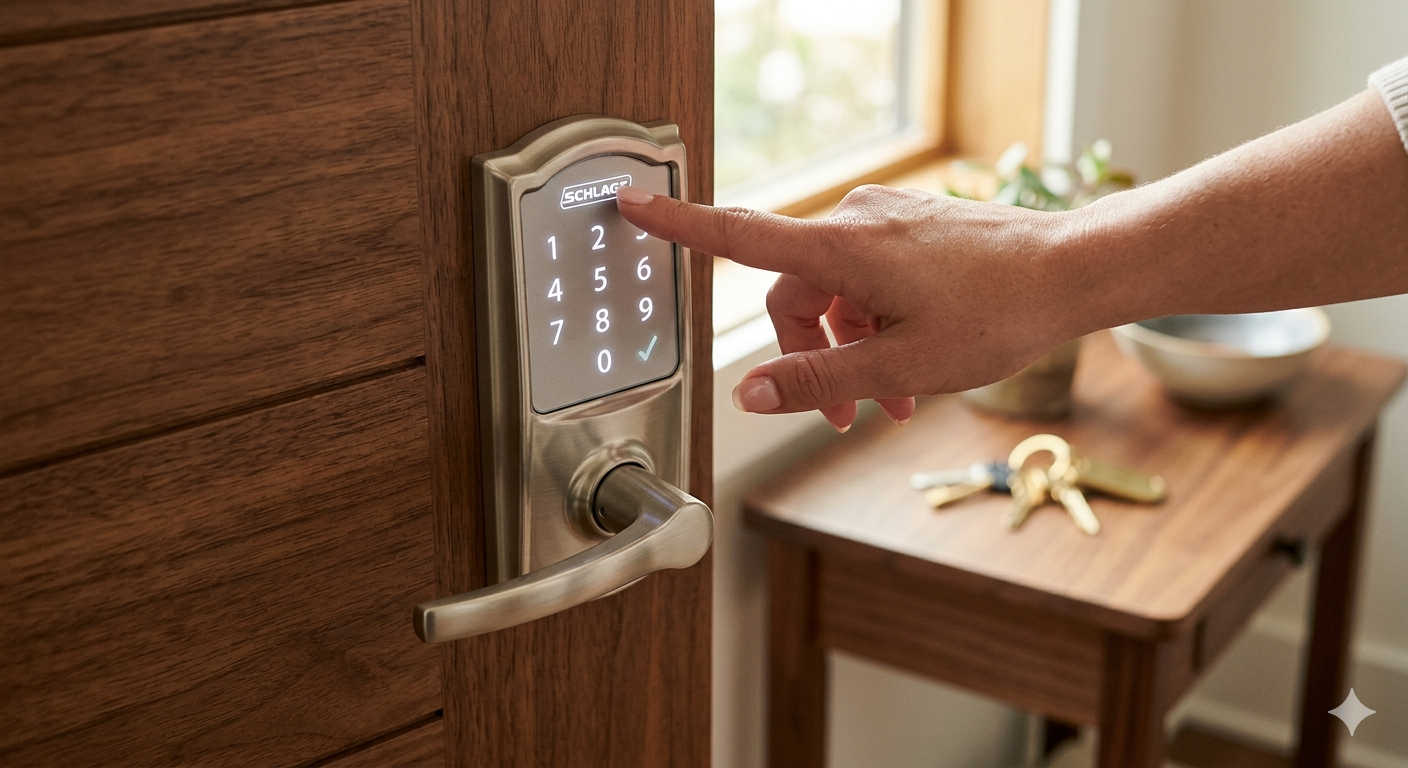
- If you see a smooth, flat touchscreen and a plastic battery tray that slides out, you have a Touchscreen Smart Lock. This covers the Schlage Connect and Schlage Sense models.
- If you see a thumb-turn and a small circular recessed button on the interior panel, you likely have the newer Schlage Encode.
Once you have identified your hardware, follow the corresponding section below.
Resetting Schlage Keypad Deadbolts and Levers (The 10-Second Window)
This method applies to the classic workhorses of the Schlage lineup: the BE365 keypad deadbolt, the FE575 keypad lever, and similar variants with a 9-volt battery. These locks do not have a dedicated reset button. Instead, you are going to manipulate the power supply while pressing the Schlage logo button in a precise sequence. It feels like defusing a bomb in an action movie, but it is just a matter of timing.
What You Will Need
- A Phillips head screwdriver
- Access to the interior assembly
- Your default codes (do not forget these)
Step-by-Step Instructions
- Expose the Interior Assembly: Look at the inside part of your lock. You will see two screws holding a plastic cover over the battery compartment. Use the Phillips screwdriver to remove them. Place the screws and the cover somewhere safe. You should now see the 9-volt battery and the circuit board.
- Cut the Power: Do not pull on the wires. Grip the plastic connector clip that is attached to the top of the battery. Gently wiggle it off the terminals. Once disconnected, wait a full ten seconds. You want the capacitors in the circuit board to drain completely so the lock loses any residual memory of its current state.
- The Critical Button Press: Walk to the outside of the door. Press the “Schlage” logo button at the top of the keypad once and release it. Do not hold it. Just a single, deliberate press. You might see the keypad light up faintly or hear a beep, even though the battery is disconnected. This is the lock using the last drop of stored electricity.
- Reconnect the Battery Quickly: You now have a strict ten-second window. Return to the inside, pick up the battery connector, and snap it back onto the 9-volt battery terminals. If you do it right, the Schlage button on the outside will flash green for exactly one second. This indicates the lock is awake and entering reset mode.
- Hold to Confirm: Immediately go back to the keypad and press and hold the Schlage button. Keep it pressed. Do not let go. After roughly seven to ten seconds, the keypad will emit a long, sustained beep, and the light will flash green. You can now release the button. That beep is the signature of a successful factory default reset.
If the light turns red or nothing happens, the timing sequence failed. This often happens if you hesitate between steps 3 and 4. Disconnect the battery again, wait a full minute to ensure all power is drained, and try again. Be decisive and move smoothly.
Resetting Schlage Touchscreen Smart Locks (Sense and Connect)
If your lock looks like a sleek panel with no physical buttons, you are working with a different generation of technology. These locks usually use a slide-out tray containing four AA batteries. The reset process here does not rely on a frantic ten-second sprint. Instead, it uses a boot-up button sequence that is much more forgiving for those of us with slower reaction times.
What You Will Need
- The interior assembly with the battery tray
- A firm finger for holding the touchscreen logo
- Your default codes
Step-by-Step Instructions
- Remove All Power: Go to the inside cover. Locate the black plastic battery tray. It should have a small tab or grip. Slide the entire tray out of the lock body. Do not just take the batteries out; remove the tray entirely. This ensures no residual connection is touching the terminals.
- Initiate the Button Hold: Go to the exterior touchscreen. You need to hold down the “Schlage” logo at the very top of the screen. Do not just tap it. Press and hold it firmly with your thumb.
- Restore Power While Holding: While maintaining constant pressure on the logo with one hand, use your other hand to slide the battery tray back into the interior assembly. Make sure it clicks into place. Power will flow back into the lock instantly.
- Wait for the Visual Confirmation: Do not let go of the logo yet. Keep watching the touchscreen. You are waiting for a green checkmark to flash. It will blink three times. Simultaneously, the interior Schlage button will illuminate. Only when you see these three flashes can you release the logo. The lock is now restored to its factory defaults.
This method is straightforward because the lock is actively looking for the input during its power-up cycle. You are simply telling it, “Hey, during this boot sequence, wipe the memory clean.”
Resetting the Schlage Encode (The Easiest Method)
The Encode is the modern star of the Schlage lineup, offering built-in Wi-Fi without a hub. Schlage realized that requiring customers to perform battery acrobatics was not ideal, so they included a physical reset button inside the lock. If you have an Encode, you are in luck. This process is nearly foolproof.
Step-by-Step Instructions
- Access the Interior Panel: Slide the black battery cover up and off the interior assembly. You do not need to remove the batteries. Leave them plugged in.
- Locate the Recessed Button: Look at the plastic casing near the manual thumb-turn. You will see a tiny, circular black button that sits slightly below the surface. It is specifically designed to prevent accidental presses.
- Use the Right Tool: Do not use a graphite pencil. The tip can snap off in the hole and short out the board. Use a small flathead screwdriver, a bent paperclip, or a pen. Press the button in.
- Monitor the LED Transition: The interior LED indicator will start flashing red. Continue holding the button. Do not release it just because the red light is blinking. You are waiting for the red light to stop and change to a solid blue. This transition usually takes between five and ten seconds. Once the light is solid blue, release the button. Your Encode is now factory reset.
Immediate Post-Reset Checklist
You are not done yet. The lock has amnesia right now. It does not know your personal codes, but it also does not know it is a secure device. It is currently operating on the most generic keys in the Schlage ecosystem. If you do not secure it immediately, anyone who understands default codes could technically walk up and program your lock.
Test the Default User Code
Before you close the door or put the screwdriver away, test the lock. Locate the default four-digit user code from the sticker you found earlier. Enter it on the keypad and press the Schlage button. The lock should flash green, and you should be able to turn the thumb-turn or lever to open the deadbolt.
- If it opens: The reset was successful.
- If it does not open: The reset sequence failed, or you have a mismatch between the code sticker and the actual lock. Double-check the model number on the sticker versus the lock. If they match, try the battery reset sequence again.
Change the Programming Code Right Now
This is a mandatory security step. The default programming code is not unique to your house; it is a standard code issued with that production batch. Leaving it as is leaves a vulnerability.
To change it:
- Enter the six-digit default programming code.
- Press the “Schlage” button.
- Press the number 3 on the keypad.
- The lock will wait for you to enter a new six-digit code. Choose something you can remember but that cannot be easily guessed. Avoid street numbers, phone number prefixes, or sequential patterns like 1-2-3-4-5-6.
- Wait for the green confirmation flash.
Add New User Codes
Now that you have your own private master key, you can recreate the user codes you lost. Use the new programming code to enter the programming menu and add entries for every member of the household.
A Word of Caution: The Paperclip Trick Myth
If you spend enough time searching for reset instructions on video platforms or forums, you might stumble upon a “quick fix” that involves shoving a paperclip into a small hole on the exterior keypad while turning the physical key. You will see this advice repeated for various lock brands.
Resist the urge. This is dangerous advice for residential Schlage locks.
Standard models like the BE365 and FE575 do not have an external electronic reset hole. The small holes you see on the exterior often serve as drainage channels for rainwater or as cosmetic covers for manufacturing screws. Jamming a metal object into these openings will not reset your lock. It will, however, likely puncture the weather gasket, bend internal pins, or damage the finish. This method is a confusion with commercial hotel locks or panic bar systems. Stick strictly to the internal, battery-powered methods outlined above. A valid physical key will always bypass the electronics and let you in the house, but it will never erase the programming memory.
Upgrading Your Hardware: Schlage Models Worth Considering
Sometimes, a factory reset makes you realize how old your current lock is. Maybe the keypad is worn smooth, the motor sounds sluggish, or the programming process feels archaic. If you are considering an upgrade rather than fighting with old hardware, Schlage offers a modern lineup that makes managing access codes much more intuitive and reduces the chance of future lockouts.
For the Ultimate in Convenience: Schlage Encode Smart Wi-Fi Deadbolt
This is the flagship model and the one most people will be happiest with today. It connects directly to your home’s Wi-Fi, meaning you do not need to buy a separate hub or bridge. You can change codes, check the lock status, and view history from your phone anywhere you have an internet connection. The built-in reset button we described earlier also makes troubleshooting painless. It is compatible with Amazon Key for in-home deliveries and pairs nicely with Alexa or Google voice assistants without extra hardware.
For Those Deep in Smart Home Ecosystems: Schlage Connect Smart Deadbolt
If your home already runs on a Z-Wave smart hub like Samsung SmartThings or Ring Alarm, the Connect is a perfect fit. It features a responsive touchscreen and a traditional slide-out battery tray. It is highly reliable for localized automation scenes like “Good Night” routines that lock the doors and arm the security system. The tactile touchscreen works well even in cold weather, a common complaint with cheaper capacitive screens.
For Simplicity and Battery Longevity: Schlage BE365 Keypad Deadbolt
Do not overlook this classic. If you do not need a lock that talks to the internet, the BE365 is a tank. It uses a physical push-button keypad that gives satisfying click feedback. It runs on a single 9-volt battery that often lasts for years, even in high-traffic doors. There is no app to crash and no firmware to update. It is a pure access control device that does one job exceptionally well. If you find smart home technology more annoying than helpful, this is your best bet.
Summarizing the Roadmap to Recovery
Forgetting your programming code is a headache, but it is one that comes with a built-in cure. The engineers at Schlage understood that human memory is imperfect, so they provided a hardware-level escape hatch. The key to a successful reset is not technical skill; it is preparation.
- Always locate the default codes before you pull the battery.
- Always keep a physical key within reach.
- Match your reset method to the exact model of your lock.
- Secure the programming code immediately after the reset finishes.
A few minutes of careful, methodical work on the interior assembly can bring your lock back to life as if it were brand new. Once you set your new private master code, store it in a secure password manager, a protected note on your phone, or a safety deposit box. Do not leave security to memory alone. A little proactive organization today means you will never have to read this guide for the same lock twice.