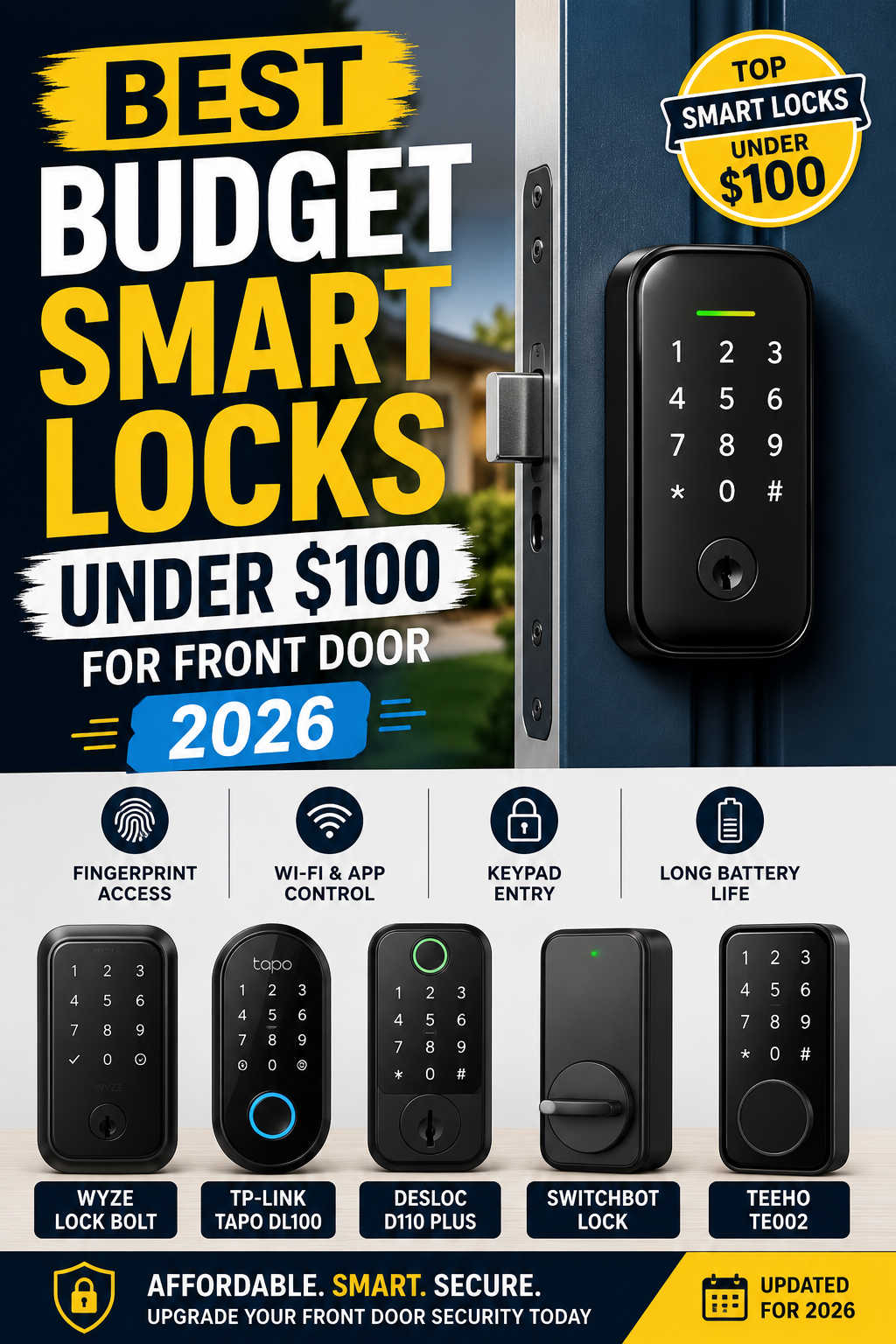
Smart home technology is no longer limited to expensive houses filled with premium gadgets. In 2026, one of the easiest and most affordable upgrades for any home is a smart lock. What once cost several hundred dollars is now available at a much more practical price point, with many excellent front door smart locks selling for less than $100.
For homeowners, renters, Airbnb hosts, and even students living in apartments, smart locks offer something traditional deadbolts simply cannot: convenience without sacrificing security. Instead of fumbling for keys, you can unlock your front door with a fingerprint, keypad code, smartphone app, or voice assistant.
The problem is that the budget smart lock market has become crowded. Some low-cost models look impressive on paper but fail in real-world use. Others deliver surprisingly strong performance despite their affordable price tags.
That is why choosing the right smart lock matters.
In this guide, we will cover the best budget smart locks under $100 for front doors in 2026, explain which features are actually worth paying for, compare Wi‑Fi and Bluetooth models, discuss security concerns, and help you decide which smart lock best fits your needs.
Why Budget Smart Locks Are Better in 2026
A few years ago, buying a cheap smart lock usually meant accepting major compromises. Battery life was unreliable, apps were poorly designed, fingerprint readers barely worked, and connectivity problems were common.
That has changed significantly.
The latest generation of affordable smart locks has improved in almost every area:
- Faster fingerprint recognition
- Better battery efficiency
- More stable mobile apps
- Easier installation
- Improved smart home compatibility
- Stronger encryption and security features
Competition between brands has also pushed prices down. Many companies now offer premium-style features in models that cost less than $100.
For most households, budget smart locks now provide enough functionality and reliability for everyday use without needing to invest in expensive flagship models.
What to Look for in a Budget Smart Lock
Before choosing a smart lock, it helps to understand which features genuinely matter.
Reliable Unlocking Performance
The most important feature is consistency.
A smart lock should unlock quickly and reliably every single day. Fancy features mean very little if the lock struggles to recognize fingerprints or delays unlocking the door.
Fingerprint readers have improved dramatically in affordable models, but not all sensors are equal. Better smart locks use faster recognition systems that work even with slightly wet or dry fingers.
If you prefer keypad access, make sure the buttons are responsive and backlit for nighttime use.
Battery Life
Battery performance is one of the biggest frustrations with cheap smart locks.
The best models typically last between six months and one year on standard AA batteries. Wi‑Fi-enabled locks usually consume more power than Bluetooth-only models because they maintain internet connectivity.
Most quality smart locks now include low-battery warnings through the app and emergency backup charging ports in case the batteries die unexpectedly.
Backup Access Methods
Never rely on only one unlock method.
A good smart lock should include at least two or three backup options such as:
- Physical keys
- PIN codes
- Fingerprint access
- Emergency USB charging
- Smartphone app access
Having multiple entry methods helps avoid lockouts.
Smart Home Compatibility
If you already use smart home devices, compatibility matters.
Most affordable smart locks now work with:
- Amazon Alexa
- Google Home
- SmartThings
Apple HomeKit support is still less common in the under-$100 category.
Build Quality and Security
Budget smart locks may not offer the same commercial-grade certifications as premium models, but they should still feel sturdy and secure.
Look for:
- Durable deadbolt construction
- Auto-locking features
- Encrypted app communication
- Tamper alarms
- Secure mounting hardware
A weak front door frame is often a bigger security issue than the smart lock itself, so reinforcing your strike plate is also a good idea.
Best Budget Smart Locks Under $100 in 2026
After comparing features, reliability, user feedback, ease of installation, and overall value, these are the top smart locks worth considering this year.
1. Wyze Lock Bolt – Best Overall Budget Smart Lock
The Wyze Lock Bolt v2 continues to dominate the affordable smart lock category in 2026 because it focuses on practical everyday performance rather than flashy marketing.
For most homeowners, this is the best balance of price, convenience, and reliability.
Unlike many cheap smart locks that overload users with unstable cloud-based features, the Wyze Lock Bolt prioritizes speed and simplicity. The fingerprint scanner is extremely responsive for the price range, often unlocking in less than a second.
Installation is straightforward and usually takes less than 20 minutes with basic tools.
What makes the Wyze Lock Bolt stand out is how polished the overall experience feels. The keypad is responsive, the app is simple to navigate, and battery life is noticeably better than many competing Wi‑Fi models.
Key Features
- Fast fingerprint recognition
- Backlit keypad
- Auto-lock functionality
- Bluetooth app control
- Temporary guest codes
- Long battery life
- Physical backup key
The main drawback is the lack of native HomeKit support and limited remote access unless paired with additional hardware.
Still, for buyers who want a dependable everyday smart lock under $100, the Wyze Lock Bolt is difficult to beat.
2. TP-Link Tapo DL100 – Best Budget Wi‑Fi Smart Lock
If remote access is your top priority, the TP-Link Tapo DL100 is one of the strongest options available under $100.
Unlike Bluetooth-only locks that require you to stand near the door, the DL100 includes built-in Wi‑Fi connectivity. That means you can lock or unlock your front door from almost anywhere using the mobile app.
This feature is especially useful for:
- Airbnb hosts
- Families with children
- Frequent travelers
- Package deliveries
- Temporary guests
The Tapo app is cleaner and more reliable than many competing budget smart lock apps. Remote notifications, guest PIN management, and access logs are easy to use.
Another advantage is smart assistant integration. The lock works smoothly with Alexa, Google Assistant, and SmartThings ecosystems.
Key Features
- Built-in Wi‑Fi
- Remote lock and unlock
- Guest access codes
- Voice assistant support
- Access history tracking
- Auto-lock scheduling
- Physical backup keys
The biggest compromise is the lack of fingerprint unlocking. If biometric access matters to you, another model may be a better fit.
However, for users who prioritize remote control and smart home connectivity, the Tapo DL100 offers excellent value.
3. Desloc D110 Plus – Best Feature-Packed Smart Lock Under $100
The Desloc D110 Plus delivers an impressive number of features for its price.
Many budget smart locks force buyers to choose between fingerprint access, Wi‑Fi connectivity, or smart assistant compatibility. The Desloc D110 Plus includes all three.
That combination makes it one of the most versatile smart locks in the budget category.
Fingerprint recognition is fast and accurate, and the keypad is responsive even in colder temperatures. The app also supports temporary access codes, making it useful for guests or short-term rentals.
One of the lock’s biggest strengths is flexibility. It supports multiple unlock methods without making the user experience overly complicated.
Key Features
- Fingerprint scanner
- Wi‑Fi connectivity
- Keypad access
- Alexa and Google Home support
- Temporary PIN codes
- Auto-lock settings
- Backup physical keys
The lock uses a BHMA Grade 3 rating rather than the stronger Grade 1 certifications found in premium models. For most residential front doors, however, this level of security is still acceptable.
For buyers who want the most features possible under $100, the Desloc D110 Plus is one of the best overall values.
4. SwitchBot Lock – Best Smart Lock for Renters
Renters often face restrictions when replacing front door hardware.
That is exactly why the SwitchBot Lock has become so popular.
Instead of replacing your deadbolt entirely, the SwitchBot Lock attaches to the inside thumb turn of your existing lock and rotates it electronically.
This approach offers two major benefits:
- Installation is extremely simple.
- You can remove the device later without damaging the original lock.
For apartment dwellers and students, that flexibility matters.
The SwitchBot Lock works with many existing deadbolts and can integrate with Alexa and Google Assistant when paired with the company’s hub.
Although it is bulkier than traditional smart deadbolts, the renter-friendly design makes it one of the most practical smart lock solutions available.
Key Features
- No permanent modifications
- Compatible with existing deadbolts
- Easy installation
- Optional keypad support
- Voice assistant compatibility
- App-based remote control with hub
If you rent your home and cannot fully replace the lock hardware, the SwitchBot Lock is one of the safest purchases in 2026.
5. TEEHO TE002 – Best Ultra-Budget Smart Lock
Not everyone needs advanced smart home integrations.
Some buyers simply want affordable keyless entry without spending a fortune.
That is where the TEEHO TE002 performs surprisingly well.
Despite its low price, this lock includes fingerprint access, keypad entry, and respectable battery life.
The lock focuses on offline convenience instead of cloud-based smart features. That means fewer remote capabilities, but also fewer app-related frustrations.
For users who prefer simplicity, that can actually be an advantage.
Key Features
- Fingerprint unlocking
- Keypad access
- Long battery life
- Physical backup keys
- Easy DIY installation
- Offline functionality
The app experience is more limited than premium competitors, but for the price, the TE002 offers excellent basic functionality.
It is an ideal option for first-time smart lock buyers or secondary doors.
Comparison Table: Best Smart Locks Under $100 in 2026
| Smart Lock | Best For | Fingerprint | Wi‑Fi | Remote Access | Smart Assistant Support | Typical Price |
|---|---|---|---|---|---|---|
| Wyze Lock Bolt | Overall value | Yes | No | Limited | Alexa, Google | Under $100 |
| TP-Link Tapo DL100 | Remote access | No | Yes | Yes | Alexa, Google, SmartThings | Under $70 |
| Desloc D110 Plus | Features per dollar | Yes | Yes | Yes | Alexa, Google | Under $100 |
| SwitchBot Lock | Renters | Optional | With hub | Yes | Alexa, Google | Around $100 |
| TEEHO TE002 | Lowest budget | Yes | No | No | Limited | $40–$60 |
Wi‑Fi vs Bluetooth Smart Locks: Which Is Better?
One of the biggest buying decisions is choosing between Wi‑Fi and Bluetooth connectivity.
The best option depends on how you plan to use the lock.
Bluetooth Smart Locks
Bluetooth models connect directly to your phone when you are nearby.
They usually offer:
- Better battery life
- Faster local response
- Simpler setup
- Lower cost
However, remote control features are limited unless you purchase an additional hub.
Bluetooth smart locks work best for people who mainly want keyless entry while at home.
Wi‑Fi Smart Locks
Wi‑Fi smart locks connect directly to the internet.
That enables:
- Remote unlocking
- Real-time notifications
- Access history tracking
- Easier guest management
- Smart home automation
The downside is increased battery consumption.
For Airbnb hosts or frequent travelers, Wi‑Fi models are usually worth it.
For average homeowners, Bluetooth-only locks often provide enough functionality while delivering better battery life.
Are Budget Smart Locks Actually Safe?
Many buyers worry that smart locks can be hacked easily.
In reality, most burglars do not use advanced hacking methods to break into homes.
Traditional forced entry remains far more common.
Modern smart locks use encrypted communication systems similar to online banking and other connected devices.
The bigger security risks usually come from:
- Weak passwords
- Poor door reinforcement
- Outdated firmware
- Shared access codes
- Weak strike plates
A high-quality smart lock combined with good home security habits is generally very safe for residential use.
To improve security further:
- Enable two-factor authentication
- Update firmware regularly
- Use unique PIN codes
- Reinforce the door frame
- Install outdoor lighting or cameras
The lock itself is only one part of your overall home security setup.
Smart Locks vs Traditional Deadbolts
Traditional deadbolts are still highly effective, especially high-quality mechanical locks.
Smart locks are not necessarily replacing traditional security. Instead, they add convenience and flexibility.
The biggest advantages of smart locks include:
- No need to carry keys
- Easier guest access management
- Temporary digital codes
- Auto-lock functionality
- Remote monitoring
- Faster access for families
For households with children, elderly family members, cleaners, pet sitters, or frequent visitors, smart locks can simplify daily life significantly.
Many people who switch to smart locks eventually realize they rarely use physical keys anymore.
Installation Tips for Budget Smart Locks
Most modern smart locks are designed for DIY installation.
If your existing deadbolt already fits standard dimensions, installation is usually straightforward.
Here are a few important tips:
Check Door Compatibility
Before buying a lock, verify:
- Door thickness
- Deadbolt size
- Backset dimensions
- Indoor clearance space
Most standard U.S. front doors are compatible with modern smart locks.
Replace Weak Strike Plates
Even the best smart lock cannot fully protect a weak door frame.
A reinforced strike plate with longer screws can dramatically improve resistance against forced entry.
Test Alignment Carefully
Many smart lock issues come from poor deadbolt alignment.
If the deadbolt sticks or requires pressure to lock manually, fix the alignment before installing the smart lock.
Smooth operation helps preserve motor lifespan and battery performance.
Common Mistakes People Make When Buying Smart Locks
Choosing Features Over Reliability
Some buyers become distracted by long feature lists.
In practice, reliability matters far more than extra features.
A lock that unlocks instantly every day is more valuable than one packed with unstable smart integrations.
Ignoring Battery Requirements
Wi‑Fi locks usually drain batteries faster than Bluetooth models.
If you dislike frequent battery replacements, prioritize efficiency.
Buying Unknown Brands With Weak Software
Hardware is only part of the experience.
Poor mobile apps can ruin an otherwise decent smart lock.
Established brands typically provide better firmware updates and customer support.
Forgetting About Backup Access
Always keep at least one backup entry method available.
Mechanical keys remain important.
Frequently Asked Questions About Budget Smart Locks
Are smart locks worth buying in 2026?
Yes. Modern smart locks are far more reliable than early generations and now offer strong value even at lower price points.
For many households, the convenience alone makes them worthwhile.
Can smart locks work without Wi‑Fi?
Yes. Many smart locks use Bluetooth instead of Wi‑Fi.
Bluetooth models still allow local smartphone access, fingerprint unlocking, and keypad entry without needing internet connectivity.
What happens if the batteries die?
Most smart locks include backup physical keys or emergency charging options.
Many also provide low-battery warnings before power becomes critically low.
Are fingerprint smart locks reliable?
The best fingerprint smart locks in 2026 are significantly more accurate and responsive than older models.
However, sensor quality still varies between brands.
Can smart locks be hacked?
While no connected device is completely immune to security risks, reputable smart locks use encrypted communication systems and secure authentication methods.
Most real-world break-ins still involve physical forced entry rather than hacking.
Do smart locks increase home value?
Smart home upgrades can improve buyer appeal, especially in modern real estate markets.
Although a smart lock alone will not dramatically increase property value, it can make a home feel newer and more convenient.
Which smart lock is best for Airbnb hosts?
Wi‑Fi-enabled smart locks with remote access and temporary code management are usually best for short-term rentals.
The TP-Link Tapo DL100 and Desloc D110 Plus are both strong budget-friendly options.
Which smart lock is best for renters?
The SwitchBot Lock is one of the best renter-friendly choices because it works with existing deadbolts and does not require permanent modifications.
Final Verdict: Which Budget Smart Lock Should You Buy?
The best budget smart lock under $100 ultimately depends on your priorities.
If you want the best overall experience, the Wyze Lock Bolt remains the strongest all-around option thanks to its excellent fingerprint performance, simple installation, and dependable everyday reliability.
If remote access and smart home connectivity matter most, the TP-Link Tapo DL100 is one of the best affordable Wi‑Fi smart locks available.
For buyers who want the maximum number of features without exceeding a $100 budget, the Desloc D110 Plus delivers outstanding value.
Renters should strongly consider the SwitchBot Lock because of its non-destructive installation design.
And if your goal is simply affordable keyless entry with minimal complexity, the TEEHO TE002 offers impressive functionality at a very low price.
Budget smart locks have improved dramatically over the last few years. In 2026, many affordable models now provide the convenience, security, and reliability that once required spending two or three times as much.
For most homeowners, there has never been a better time to upgrade the front door with a smart lock.