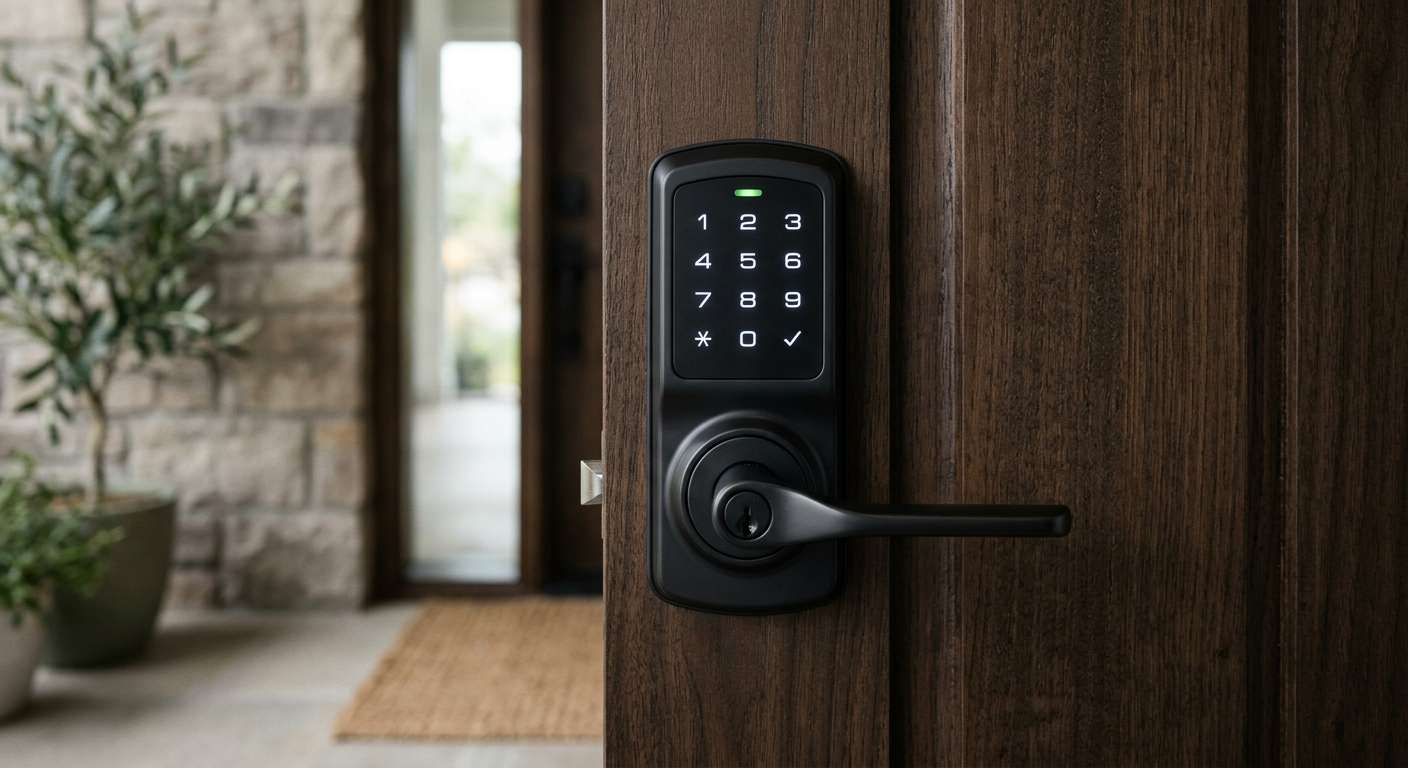
There’s a particular kind of frustration that comes from standing on your own porch, arms full of groceries, patting down every pocket for keys that have somehow vanished into the black hole of a coat lining. It’s a small annoyance, but it’s the kind that sticks with you, and it’s exactly the problem a smart front door lock with handle is built to solve.
Not every “smart lock” actually gets you there, though. A lot of what’s marketed under that label is really just a smart deadbolt bolted above a handle that’s still entirely mechanical. You end up with two different finishes competing for attention on one door, plus a lock that only covers half the entry system.
A true smart handleset takes a different approach: the grip, the lever, and the locking mechanism are built as one unit, so the whole entryway functions and looks like it was designed together, because it was.
This guide walks through what separates a genuinely well-built smart handleset from one that just looks the part, which models are worth your attention depending on what you’re actually trying to solve, and how to handle the installation snags and everyday hiccups that tend to catch people off guard.
Smart Handleset or Smart Deadbolt: Knowing the Difference Before You Shop
Most of the smart locks that dominate online buying guides, think of the familiar names like Yale or August, are deadbolt replacements. They attach to your existing deadbolt hardware and leave the handle or knob below completely untouched. If your current handle already looks and feels the way you want, this is a perfectly reasonable route, and it’s usually the faster, cheaper install.
A smart handleset asks more of you but gives more back. Because it replaces the entire exterior entry unit, the grip, the lever or knob, and the lock itself all come from one manufacturer and go on as a single piece. Traditional (non-smart) handlesets have worked this way for decades; the smart versions just swap a plain keyed cylinder for electronics that handle the locking function.
The payoff is a more finished, intentional look at your front door, which matters more than people expect once they’ve put effort into the rest of their entryway, coordinated house numbers, a matching mailbox, a seasonal wreath rotation. The cost is a bigger project than a simple deadbolt swap, since you’re replacing more hardware and occasionally need to match an existing bore pattern exactly.
What Actually Separates a Good Smart Handleset From a Gimmick
Shopping for one of these locks can feel overwhelming fast, mostly because manufacturers love to lead with flashy features that don’t actually affect how the lock performs day to day. A few things genuinely matter, and understanding why they matter makes the rest of the decision much easier.
Entry Methods and Everyday Convenience
The best handlesets give you several ways to get through your own door, and that redundancy isn’t just a nice-to-have, it’s what keeps a single dead battery or forgotten code from turning into a full lockout. A solid setup includes an app, a keypad, and a physical key as backup, and increasingly, a fingerprint reader or Bluetooth-based auto-unlock that senses your phone as you approach.
These extras sound gimmicky until you’ve used them for a week and stopped noticing you’re using them at all, which is really the goal of any good smart home device.
Build Quality and Materials
Because the handle itself now doubles as security hardware, cheap construction shows up quickly, both in how the lock feels under your hand and in how it holds up against weather. Zinc alloy and stainless steel are the materials worth looking for, since they resist corrosion and won’t develop the loose, rattly feel that cheaper pot-metal handles get within a year or two of daily use. It’s worth scrolling past the marketing photos on any product page and finding the actual material spec before deciding.
Connectivity: Built-In vs. Bolted-On
Some locks connect directly to your home Wi-Fi network, which means you can lock, unlock, and check status from anywhere with a signal. Others rely on Bluetooth alone and need a separate bridge or hub if you want that same remote access.
Neither approach is objectively better, but they solve different problems. If you want to let a dog walker in while you’re at the office, built-in Wi-Fi (or an existing hub) is non-negotiable. If remote access isn’t a priority and you mainly want keyless entry at the door itself, Bluetooth-only models are simpler and often cheaper.
Battery Life and What Happens When It Runs Out
Look for a lock rated for six months or longer per set of batteries, and just as important, confirm it has an external power terminal, usually a small contact point that accepts a 9-volt battery from the outside. This detail matters more than it seems: without it, a dead battery means you’re locked out entirely until you can get inside another way. With it, you can jump-start the lock from a spare battery in your bag or car and buy yourself enough time to get in and do a proper battery swap.
Smart Home Compatibility
If your household already runs on Alexa, Google Home, Apple Home, or a Matter-certified hub, check compatibility before you get attached to a specific finish or price point. Locks that integrate well with voice assistants let you lock up on your way out the door without breaking stride, and models built around Matter tend to age better as smart home standards continue to consolidate.
Security Certification
ANSI Grade 1 is the highest residential security rating available, and it’s worth treating as close to non-negotiable for anything installed on your actual front door. This rating reflects how the lock performs under physical stress, things like forced entry attempts and repeated use, not just how polished the app looks. A beautifully designed lock with a lower grade is still a weaker lock.
Choosing the Right Lock for How You Actually Live
There’s no single “best” smart handleset, because the right choice depends heavily on what you’re optimizing for. Someone who wants to stop thinking about keys entirely needs something different from someone who just wants a reliable upgrade at a reasonable price.
If full keyless living is the goal, models like the Ultraloq U-Bolt line are worth a close look, since fingerprint, keypad, and app control often come bundled with Wi-Fi built directly into the lock, no separate hub required.
For households where design is genuinely non-negotiable, Yale’s Assure Lock 2 stands out for the sheer number of finish and configuration options, with or without a touchscreen, with or without a visible keyhole, which makes it easier to match a considered entryway aesthetic than most competitors manage. It also plays well with nearly every major smart home platform, including Apple Home keys.
Households juggling several people coming and going, teenagers, a cleaner, a regular dog walker, tend to appreciate something like Schlage’s Encode Plus, which logs exactly who used which code to get in. That kind of activity tracking sounds like overkill until you actually need to know whether your teenager made it home on time. And if you specifically want a true handleset rather than a deadbolt wearing a smart badge, the Smonet Smart Lock With Handle line is built from the ground up to replace a full doorknob-and-handle setup, complete with keypad and fingerprint entry, and a handle that reorients for either door swing without needing to be taken apart.
Budget matters too, and it’s a legitimate factor rather than a compromise to feel bad about. A keypad-and-Bluetooth handleset without fingerprint sensing or built-in Wi-Fi covers the fundamentals, keyless entry, temporary codes for guests, a physical key backup, at a meaningfully lower price. You give up instant remote access unless you add a hub later, which for a lot of households is a perfectly fair trade.
Getting the Installation Right the First Time
Installation problems are the single biggest source of buyer’s remorse with smart handlesets, and almost all of them trace back to skipping measurements before ordering. Most residential doors use a backset, the distance from the door’s edge to the center of the bore hole, of either 2 3/8 or 2 3/4 inches, and mismatched hardware is consistently one of the top reasons these locks get returned.
If your door doesn’t already have a deadbolt bore cut into it, you’ll either need to drill one yourself or specifically shop for a retrofit kit designed for single-hole installation.
Door thickness deserves the same attention. Standard exterior doors run between 1 3/8 and 1 3/4 inches, which covers the vast majority of handlesets on the market, but storm doors and extra weatherstripping can quietly push your actual measurement outside that range. You won’t necessarily notice until the hardware doesn’t sit flush or the latch doesn’t align cleanly with the strike plate.
Finally, pay attention to your door’s handing, whether it swings open to the left or the right, before you order. Some handlesets ship in a fixed orientation and require a return if you order the wrong one, while others are designed to reverse easily with basic tools in a few minutes.
Troubleshooting Common Smart Handleset Problems
Even a well-chosen lock runs into occasional hiccups, and understanding why these issues happen makes them much less frustrating to solve.
The Keypad Isn’t Responding
This is almost always a power issue rather than an electronics failure. Cold weather in particular reduces battery output temporarily, which can make a keypad feel sluggish or entirely unresponsive even when the batteries technically still have charge left.
Swapping in a fresh set of batteries resolves this in the overwhelming majority of cases. If the keypad still won’t respond afterward, check the external power terminal with a 9-volt battery; if that brings it back to life, the issue was purely about power delivery, not a hardware defect.
The Lock Won’t Connect to Wi-Fi or the App
Smart locks generally only support 2.4GHz Wi-Fi networks, not the 5GHz band that many newer routers default to for nearby devices. If your lock won’t connect, check your router settings to confirm you’re broadcasting a 2.4GHz network the lock can actually see, and try moving the lock’s paired hub or bridge closer to the router temporarily during setup.
Once paired, most locks tolerate more distance than they need during initial connection, so a setup-time proximity issue doesn’t necessarily mean a permanent placement problem.
The Handle Feels Loose or Sticky
A handle that’s developed play or resistance over time is almost always a mounting issue rather than a sign the lock itself is failing. Exterior handlesets get repeated force applied at an angle every time someone turns or pulls them, which can gradually loosen the mounting screws on the interior side of the door. Tightening those screws, usually accessible after removing the interior cover plate, resolves the vast majority of loose-handle complaints.
If tightening doesn’t help, check for warping in the door itself, since humidity and temperature swings can shift a door’s fit enough to throw off how smoothly a latch operates, independent of anything wrong with the lock hardware.
Auto-Lock or Auto-Unlock Isn’t Triggering Reliably
Bluetooth-based proximity features rely on your phone’s Bluetooth signal strength, which can be inconsistent depending on your phone’s battery optimization settings. Many phones aggressively limit background Bluetooth activity to save power, which interferes with the constant signal a lock needs to detect you approaching. Checking your phone’s battery or app permission settings and excluding the lock’s companion app from aggressive battery optimization usually fixes this without needing to touch the lock itself.
Living With a Smart Handleset Day to Day
The security upgrade tends to be the headline reason people buy these locks, but the daily convenience is usually what people end up talking about months later. Deliveries can get a one-time code instead of a spare key hidden under a mat somewhere. A weekend guest gets their own access code that expires automatically without you needing to remember to change the locks afterward.
Most companion apps quietly log every entry, which sounds unnecessary until you have kids getting home from school, a pet sitter coming by midday, or a contractor who needs access on a defined schedule rather than indefinitely.
The trade-off is a new dependency on batteries and, for Wi-Fi-connected models, your home network staying online. It’s worth testing the physical key backup and confirming that low-battery alerts actually reach your phone before you fully lean on the smart features, so a dead battery never turns into a genuine lockout on your own front step.
Frequently Asked Questions
Is a smart handleset harder to install than a regular smart deadbolt? Generally, yes, though not dramatically so. A deadbolt-only smart lock reuses your existing handle and bore holes, so it’s often a fifteen-minute swap. A full handleset replaces more hardware and may need to match an existing bore pattern or backset, so plan for closer to thirty to sixty minutes, longer if a new bore hole needs to be drilled.
Will the lock still work if my Wi-Fi or power goes out? Yes. The lock itself runs on batteries rather than household power, so a Wi-Fi outage only affects remote access through the app, not your ability to get in with a code, fingerprint, or physical key. Battery failure is the more meaningful risk, which is why an external power terminal and a physical key backup both earn their place on a shortlist of must-have features.
Can I install a smart handleset myself, or should I call a locksmith? Most are built for straightforward DIY installation with a screwdriver and take under an hour once the door prep lines up correctly. A locksmith or contractor becomes worth it mainly when your door needs a new bore hole drilled or when existing hardware doesn’t match standard backset and thickness specs.
How secure are these locks against hacking, realistically? Reputable brands encrypt communication between the lock, the app, and your home network, and in practice, physical security, meaning the ANSI grade of the lock body itself, matters more day to day than digital vulnerabilities. Sticking with established brands that have a track record of shipping security updates, and keeping firmware and the companion app current, covers the vast majority of realistic risk.
Will a smart handleset work with my existing storm door? Usually, but it’s worth checking the depth and interior trim of your storm door before ordering, since some handlesets extend further from the door face than a standard mechanical handle and can interfere with a storm door’s closing clearance.
Final Thoughts
A smart front door lock with handle is one of the rare home upgrades that improves how your entryway functions and how it presents itself, in a single purchase. The right pick for you comes down to how much you value integrated remote access against a lower price tag, and how much your entryway’s overall look factors into the decision. Whichever direction feels right, don’t compromise on ANSI Grade 1 security, a working backup entry method, and hardware built to hold up outdoors for years rather than just look good in a listing photo.
If your current setup has been giving you trouble, cold-weather keypad lag, a loose handle, an app that won’t stay connected, the troubleshooting steps above are worth working through before assuming you need to replace anything. And if you’ve been putting off the upgrade altogether, there’s rarely a better nudge than the next time you’re standing on your porch, arms full, patting down your pockets for keys that should have been obsolete years ago.